What Is B-Roll, Exactly?
The term comes from the early days of television, when footage was physically spliced onto reels of film. Editors would cut between two film reels during broadcast — the "A-roll" (primary interview footage on reel A) and the "B-roll" (cutaway footage on reel B). Today the reels are gone, but the terminology is permanent in the film industry worldwide.
In modern video production:
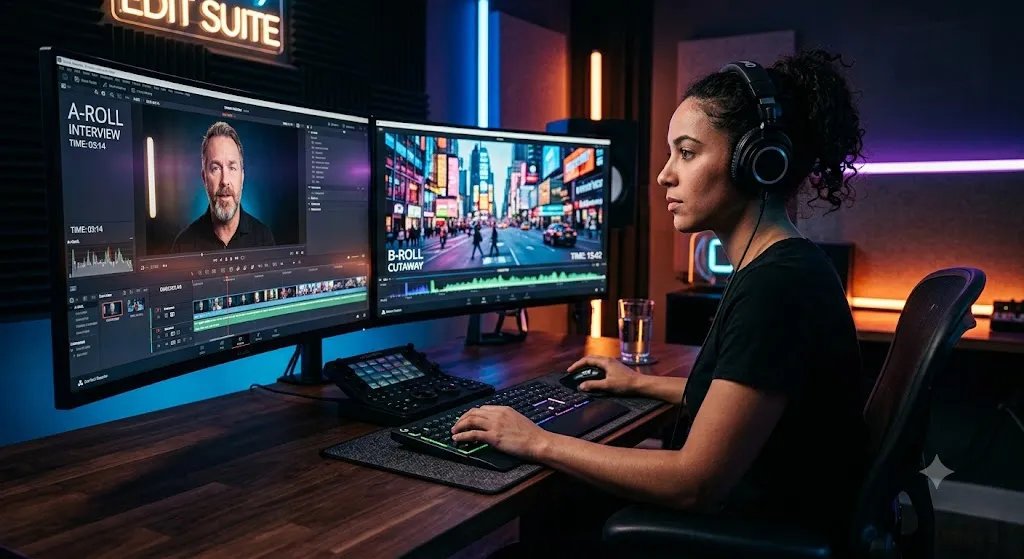
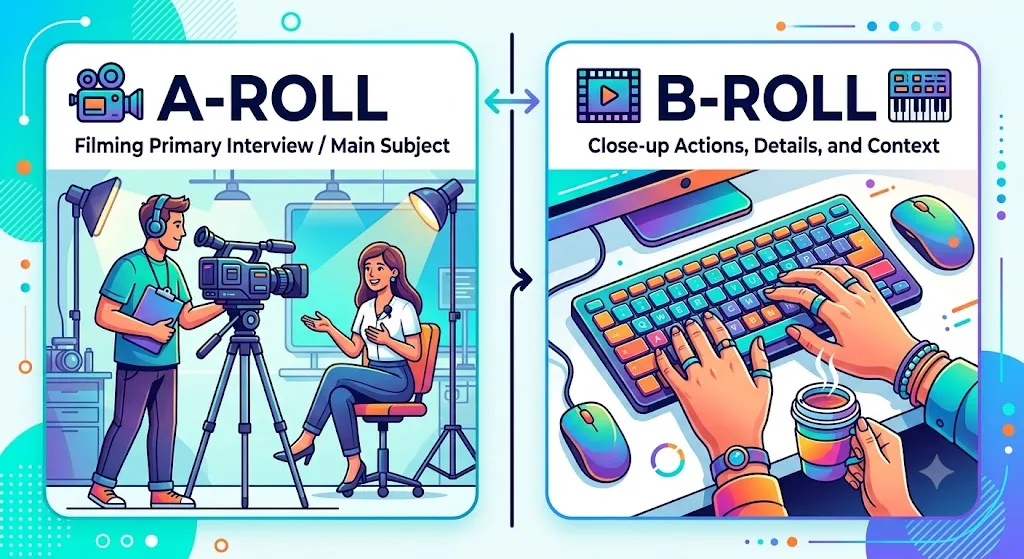
- A-roll (Primary Footage): Any footage where the subject is speaking directly to the camera or carrying the main narrative. Think a YouTube creator talking in front of their desk, a documentary interview subject, or a wedding couple exchanging vows.
- B-roll (Supplemental Footage): Any additional footage that is visually layered over the A-roll audio. When the YouTube creator says "I went to Tokyo last week," the audience sees beautiful shots of Tokyo streets — that's B-roll. When the documentary subject talks about their childhood home, the audience sees the exterior of a house — B-roll again.
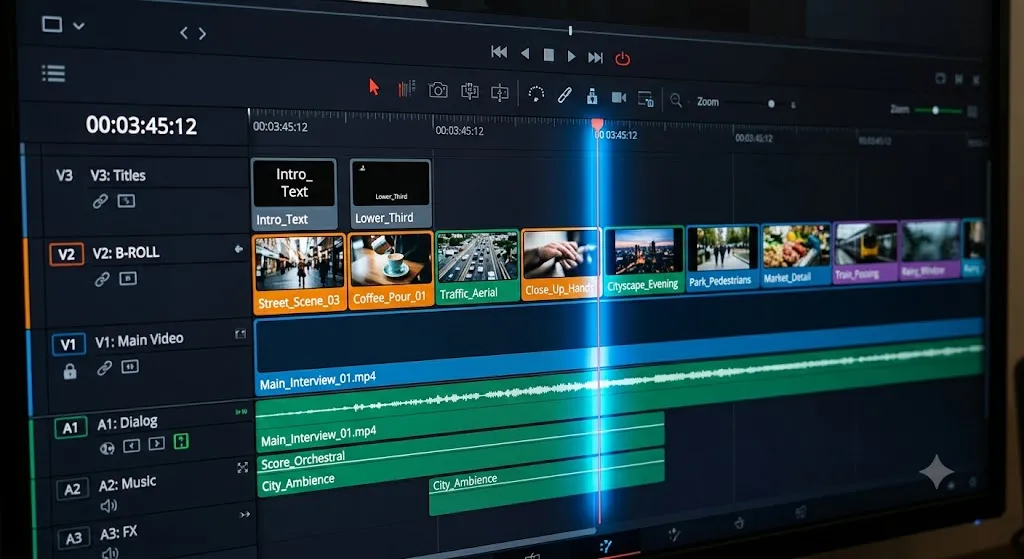
B-roll is always placed on a higher video track (V2, V3, etc.) on the timeline, sitting above the A-roll so it covers the visual layer while the primary audio continues to play below.
"I consider B-roll to be the duct tape of video editing. If your talent stumbled over their words and you had to chop a sentence together with a jump cut, B-roll is exactly what you slap over those cuts to make them invisible. I've rescued truly terrible interview performances using nothing but clever B-roll choices. A good editor can make a nervous, stumbling speaker look like a composed, authoritative expert — if they have good B-roll."
Why B-Roll Is Non-Negotiable
A video without B-roll faces three critical problems:
Visible Jump Cuts
Talking Head Fatigue
Missing Visual Context

The 6 Essential Types of B-Roll Shots
Not all B-roll is created equal. Professional cinematographers think in shot categories when building their B-roll library on set:
1. Establishing Shot (The "Wide")
A wide shot that shows the entire environment and puts the scene in geographic context. Examples: a wide shot of a city skyline to establish location, a wide shot of a recording studio before cutting to the close-up interview inside it. Always start any new location with an establishing shot — it orients the viewer before plunging them into the details.
2. Medium Shot (The "Workhorse")
A medium shot shows the subject from the waist up. This is your general-purpose B-roll shot for showing a person performing an action — typing at a computer, cooking at a stove, or working with tools.
3. Close-Up (The "Detail Shot")
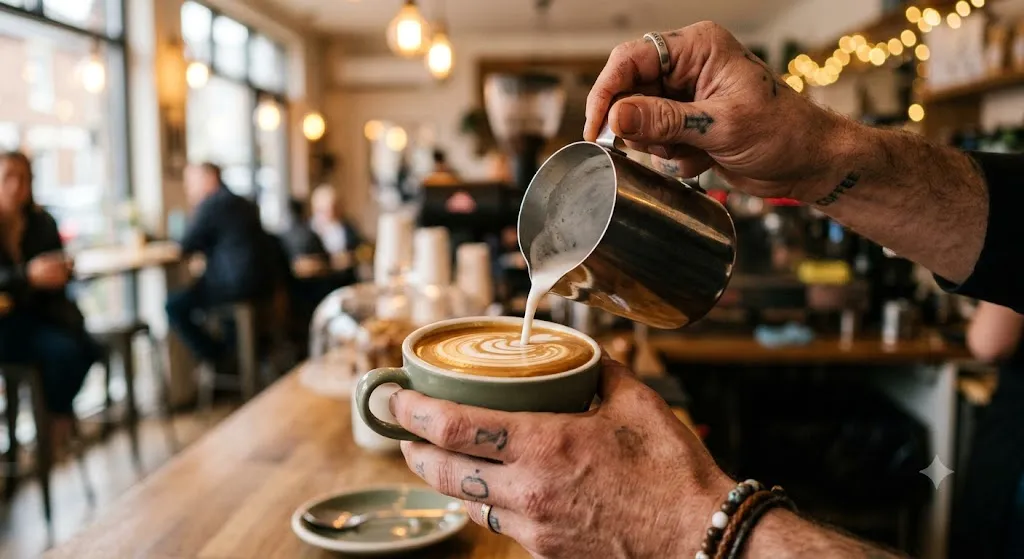
Close-ups are the most cinematic and versatile B-roll shots. They show fine detail that the wide and medium shots miss. Hands typing on a keyboard, coffee pouring into a cup, a needle dropping onto a vinyl record. These intimate shots add texture and emotion to any scene.
4. Insert Shot (The "Evidence Shot")
An insert shot is an extreme close-up of a specific object mentioned in the A-roll audio. If the narrator says "the contract was signed in 1987," you cut to an extreme close-up of a signature on a document. Insert shots are literally shown as visual "evidence" of what is being said.
5. Reaction Shot
A shot of one person reacting to what another person is saying. Essential for interview formats with multiple people or documentary-style content. It adds emotional depth and social dynamics to the conversation.
6. B-Roll Montage (The "Sequence")
A rapid series of related B-roll shots cut together, typically over music, to compress time or show a process happening quickly. Think cooking shows showing an entire recipe preparation in 30 seconds, or a travel video showing 5 days in Tokyo in 2 minutes.
How to Plan a B-Roll Shot List
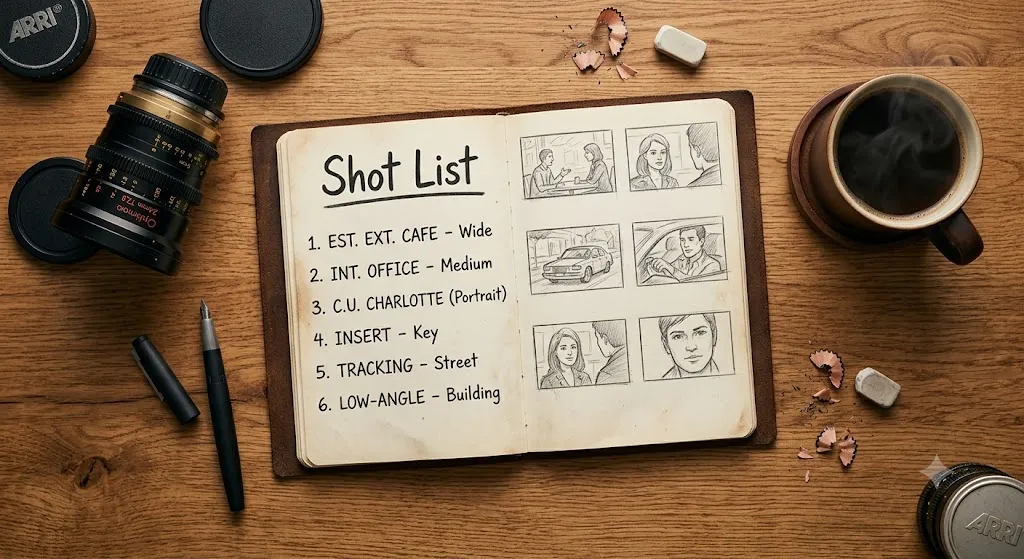
Amateur filmmakers grab their camera and shoot whatever catches their eye. Professionals create a B-roll shot list before they ever step onto a location. A shot list is simply a structured document that maps specific B-roll shots to specific moments in the A-roll script.
The planning process has three phases:
- Script Review: Read your script or outline and highlight every noun, verb, and concept that could be shown visually. "I traveled to Kyoto" needs: wide shot of Kyoto streets, close-up of temple gate, medium shot of walking through bamboo forest.
- Shot Categorization: For each visual concept, decide which shot type you need — wide, medium, close-up, insert, or montage. Plan at least 2 different angles for each concept to give yourself options in the edit.
- Location Scouting: Visit the filming location before the shoot day and identify the specific backgrounds, angles, and lighting conditions that will make each shot look cinematic. Check the sun's position at your planned shooting time.
"I cannot overstate how much a B-roll shot list changes the efficiency of a shoot day. Before I started using shot lists, I would spend 8 hours on location and come home with 2 hours of footage — 90% of which was unusable garbage. Now, I spend 30 minutes planning a detailed shot list the night before, and I walk away from a 3-hour shoot with exactly the 15 specific shots I need. Pre-production is where great editing happens."
Shooting B-Roll Like a Professional
Hold Every Shot for a Full 10 Seconds
This is the single most transformative habit you can develop. When you film B-roll, hold the shot perfectly still (or maintain your motion) for a minimum of 10 seconds after pressing record. Even if you only need 3 seconds in the edit, those extra seconds at the beginning and end of the clip are called handles, and they are critical for:
- Applying smooth transition effects without cutting off the animation
- Applying video stabilization (which crops the edges of the frame)
- Speed ramping (slowing down the clip) without running out of footage
Shoot at Higher Frame Rates
Always shoot your B-roll at 60fps or 120fps even if your A-roll is shot at 24fps. This gives you the ability to slow the B-roll down in post-production to 40% or 20% of its original speed. Slow-motion B-roll of something as simple as liquid pouring or leaves falling becomes cinematically beautiful and adds a luxury feel to any video.
Vary Your Focal Lengths
Don't shoot all your B-roll from the same distance with the same lens. Wide angle, 50mm, and telephoto shots of the same subject create completely different emotional feels. Wide shots feel immersive and environmental. Telephoto shots compress the background and create a cinematic, isolated look that feels professional and intentional.
Always Record Natural Sound
Never silence the microphone while shooting B-roll. The ambient sound of a location — the hum of a coffee shop, the clatter of keyboards, the sound of rain — is invaluable in the edit. Natural sound (often called "nat sound" in documentary filmmaking) gives the viewer a sense of being physically present in the location.
Cutting B-Roll Into Your Timeline
The art of B-roll editing is not simply dropping clips on the timeline wherever there is a visual gap. Professional editors follow specific principles that make B-roll feel motivated and intentional.
The "Say It, See It" Principle
The most common rule: never show the B-roll before the speaker mentions the concept. Wait for the speaker to say the word or phrase, then cut to the B-roll approximately half a second later. The visual should follow the audio, not lead it.
Example: Your subject says "...and the coffee machine changed everything." Cut to your gorgeous slow-motion coffee B-roll approximately half a second after the word "coffee" hits the audio waveform.
Cut on Motion and Cut on the Beat
Cutting on motion means you initiate a cut right as something in the frame starts moving — a car entering the frame, a person beginning to walk, a hand reaching toward an object. This creates invisible, seamless cuts because the viewer's eye is drawn to the motion and doesn't notice the edit point.
If your video has background music, time your B-roll cuts to fall exactly on the snare hits or kick drum beats. Rhythmically timed edits create an intoxicating, addictive viewing experience that keeps audiences watching.
Lower the B-Roll Audio
Your B-roll has natural sound. Don't mute it — but lower it. Set the B-roll audio clip's volume to approximately -18dB to -22dB. It should sit underneath the primary dialogue as a subliminal ambient bed, not compete with it.
"One thing I never hear being taught: B-roll doesn't always have to be 100% related to what is being said. Sometimes a beautiful, atmospheric shot holds emotional value even if it's not a literal illustration of the words. I once used a slow-motion shot of autumn leaves falling to cover a section where a subject was talking about loss in their career. The literal and the metaphorical met perfectly. Great B-roll is storytelling, not just wallpaper."
Common B-Roll Mistakes to Avoid
- Shaky, Handheld B-Roll: Unless intentional for a documentary-realism effect, shaky B-roll reads as amateur. Use a gimbal, slider, or tripod for any shot longer than 3 seconds.
- Oversaturated or Over-Graded B-Roll: If your A-roll and B-roll are graded differently, the cuts become jarring and the production looks inconsistent. Always grade everything in a single session.
- Clips That Are Too Short: Never cut a B-roll clip shorter than 1.5 seconds. If a clip is shorter than that, the viewer's brain cannot register the image before it disappears. The minimum comfortable viewing time for any shot is 1.5 to 2 seconds.
- Showing B-Roll Before You Have a Story: Many beginners shoot B-roll before writing a script or recording any A-roll. This results in generic, non-specific footage that doesn't match the final narration. Write first, then shoot.
Frequently Asked Questions
What is the difference between A-roll and B-roll?
A-roll is your primary footage — the interview, the presenter talking, or any footage that drives the narrative forward. B-roll is supplemental footage cut over the A-roll audio to visually illustrate what is being discussed, hide jump cuts, and add cinematic depth.
How much B-roll do I need to shoot?
A standard industry guideline is a 5:1 ratio. For every 1 minute of B-roll you plan to use in the final edit, shoot at least 5 minutes of raw B-roll footage to give yourself options.
Should B-roll have audio?
Yes, always record natural sound (nat sound) with your B-roll. Ambient sound from the location gives your edit texture and immersion. In post, lower the B-roll audio to around -18dB so it sits subtly under the main dialogue.
Can I use stock footage as B-roll?
Absolutely. Stock footage platforms like Artgrid, Pexels Video, and Envato Elements are commonly used for B-roll when custom filming is not possible. Always verify the licensing terms before publishing.
Plan your b-roll before you shoot
A shot list is the difference between usable coverage and a folder of clips you can’t cut with. Our cheat sheets cover the timeline and cut-type decisions you’ll be making with that footage.
Browse the cheat sheetsWas this guide helpful?